Here is a complete step to step guide about how to install WordPress on your machine or live server. Please follow the instructions one by one and in the end you will have a complete WordPress installed on your machine.
Step 1: Download latest version of wordpress from its official website. https://wordpress.org/download/
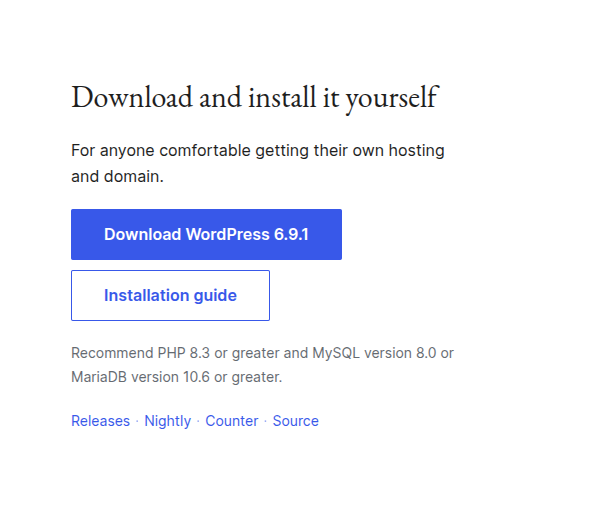
How To Install Wordpress
Step 2: Unzip the package.
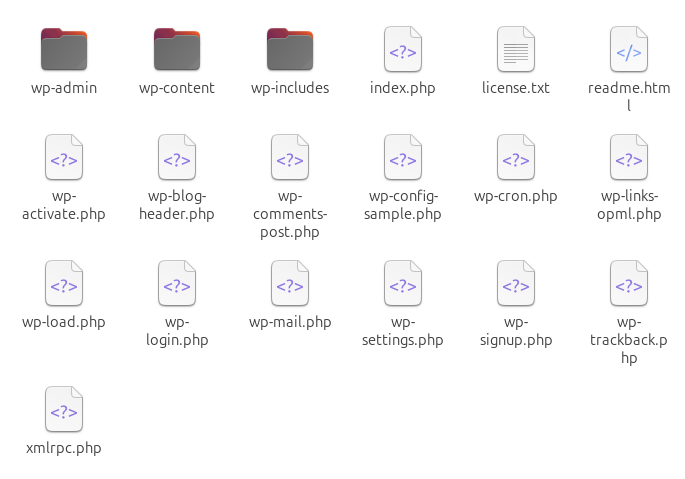
Unzip the package
Step 3: Copy all the files and folders to your root directory. Root directory will be Xampp/htdocs in Windows case and var/www/html in linux case.
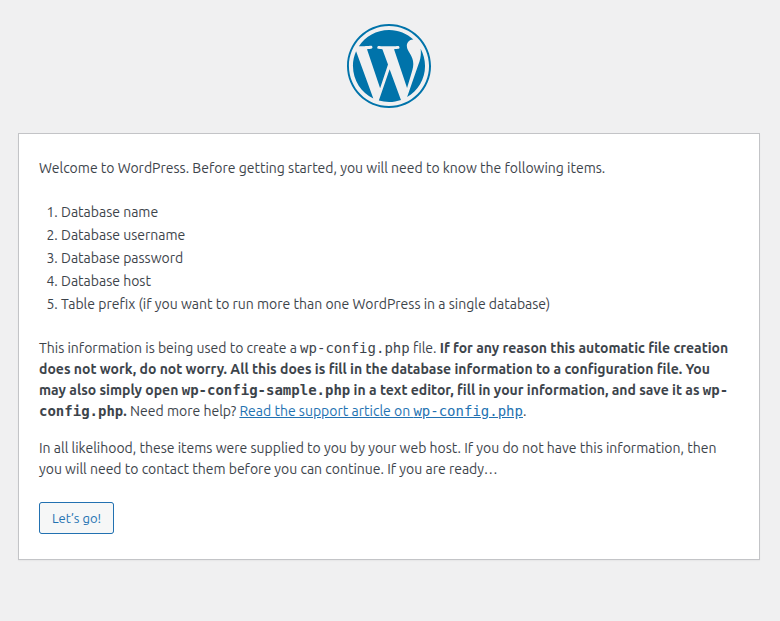
Step 4: Go to your browser and run the setup. In my case it is http://localhost/wp/ (because I have placed all the files and folders in wp directory)
How To Install WordPress
If everything is alright then you will see the above screen. Now make your new database in MySql server or PHPMYADMIN. You must know all the information stated in above image.
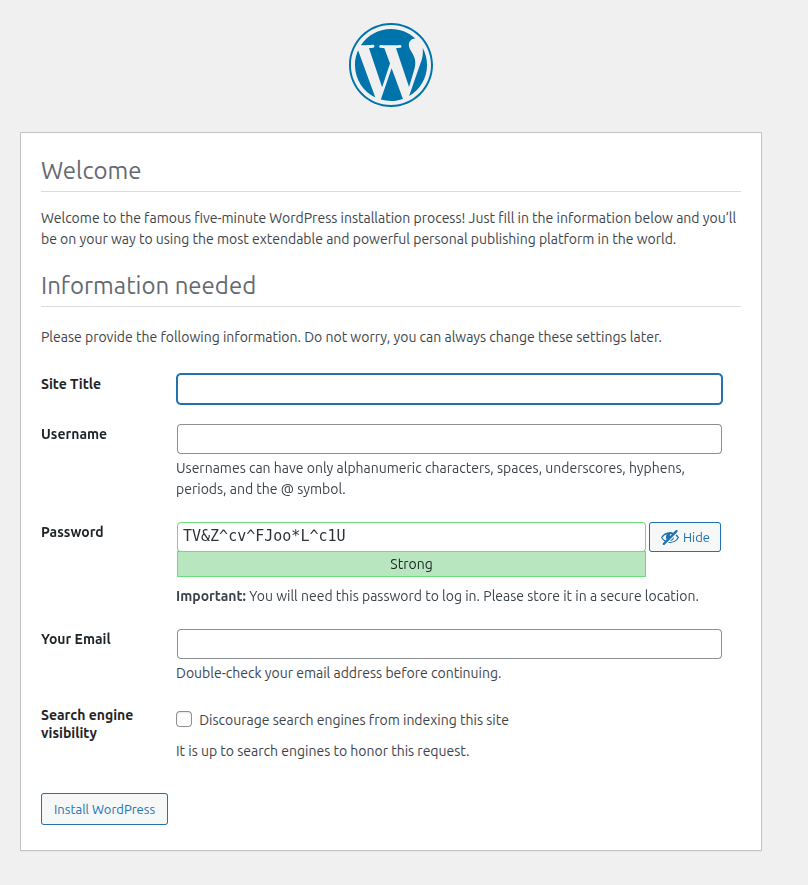
Step 5: You entered all the database details? Now click on "Run Installation". Then fill the following form and you are done with wordpress installation.
How To Install WordPress