Here is a complete guide for how to submit a self-coded website to Google search console.
Please follow the following steps and your website will be submitted in Google search console within minutes.
Step 1: Open Google search console here. https://search.google.com/search-console/about and click on start button.
Step 2: Select "Add property" and you will see the following screen.
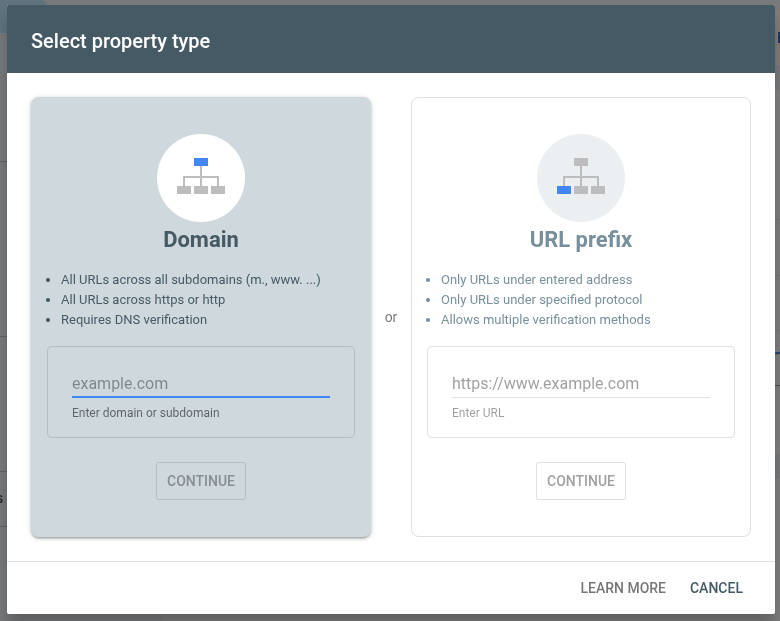
Step 3: Write your full url in "URL Prefix" section. Your url may be https://www.yourdomain.com and click continue.
Step 4: After hitting the "Continue" button, you will see the following screen.
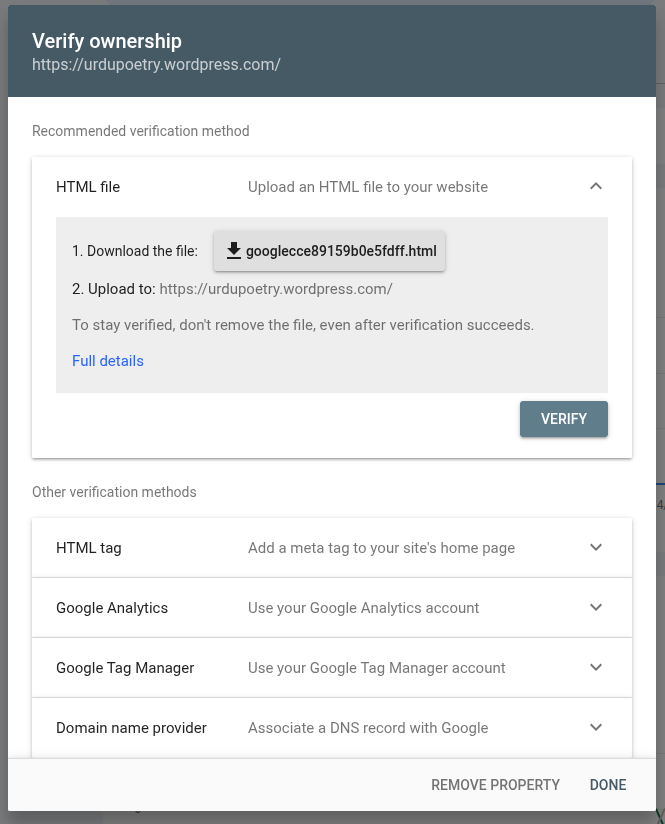
Step 5: Download this file and upload it in root folder of your website. Normally (in most cases) this is "public_html" folder on your hosting where your index.html file resides.
Once you have uploaded, click on "verify" button and your domain will be added to Google Search Console.
Keep on visiting this website and soon we shall post further information regarding how to use Google Search Console and verifying property with other ways.